
Elder Scrolls 4: Oblivion
| Items and Teleport locations listing |
Cheat Mode
     Press  ~ (tilde) while playing to bring up the console. Enter any
of the following codes:

Cheat code:             Result:
tgm                     God Mode if Nothing Targeted
tcl                     No Clipping Mode
tfh                     Full Help
help                    List Console Commands
lock #                  Lock Selected Door (1-100)
unlock                  Unlock Selected Door
kill                    Kill Selected NPC Target
coc NAME                Teleport to NAME
modpcs SKILL, #         Add Indicated Amount of Points
                        to Specified Skill
modpca ATTRIBUTE, #     Add Indicated Amount of Points
                        to Specified Attribute
AdvLevel                Advance a Level
AdvSkill                Advance Skill Experience
CompleteQuest           Complete Current Quest
caqs Complete           All Quest Stages
psb                     Get All Spells
ToggleMapMarkers        Reveal All Map Locations
sexchange               Change Gender
showclassmenu           Change Class
showbirthsignmenu       Change Birth Sign
player.setlevel #       Change Level to # (1-255)
tai                     AI On/Off
tcai                    Combat AI On/Off
player.additem 0000000f 1000      Get 1000 Gold
player.additem 0000000a 100       Get 100 Lockpicks
player.additem 0000000b 100       Get 100 Skeleton Keys
player.additem 0000000c 100       Get 100 Repair Hammers
player.additem X Y                Get Item (X=HEX NUMBER OF ITEM,
                                  Y=AMOUNT)

MODPCS Example:
     Enter modpcs blade, 10 to increase your blade skill by 10 points;
it  will  not  set  it  to 10. Raising your skills in this manner will
cause  you  to  level  up, but will not give you any attribute bonuses
when  you  pick  which attributes you want to increase on the level up
screen.

MODPCA Example:
     Enter  modpca  strength,  10  to increase your strength by 10; it
will not set it to 10.

Take Screenshots
     Use  a text editor to edit the "oblivion_default.ini" file in the
"\My    Documents\My    Games\Oblivion\"    directory.    Change   the
"bAllowScreenShot=0"  to  "bAllowScreenShot=1".  Press [PrtScn] during
game  play  to  save  a .BMP file of the current screen. ALWAYS MAKE A
BACKUP BEFORE EDITING GAME FILES.
|
Галерея игровых скриншотов | |||
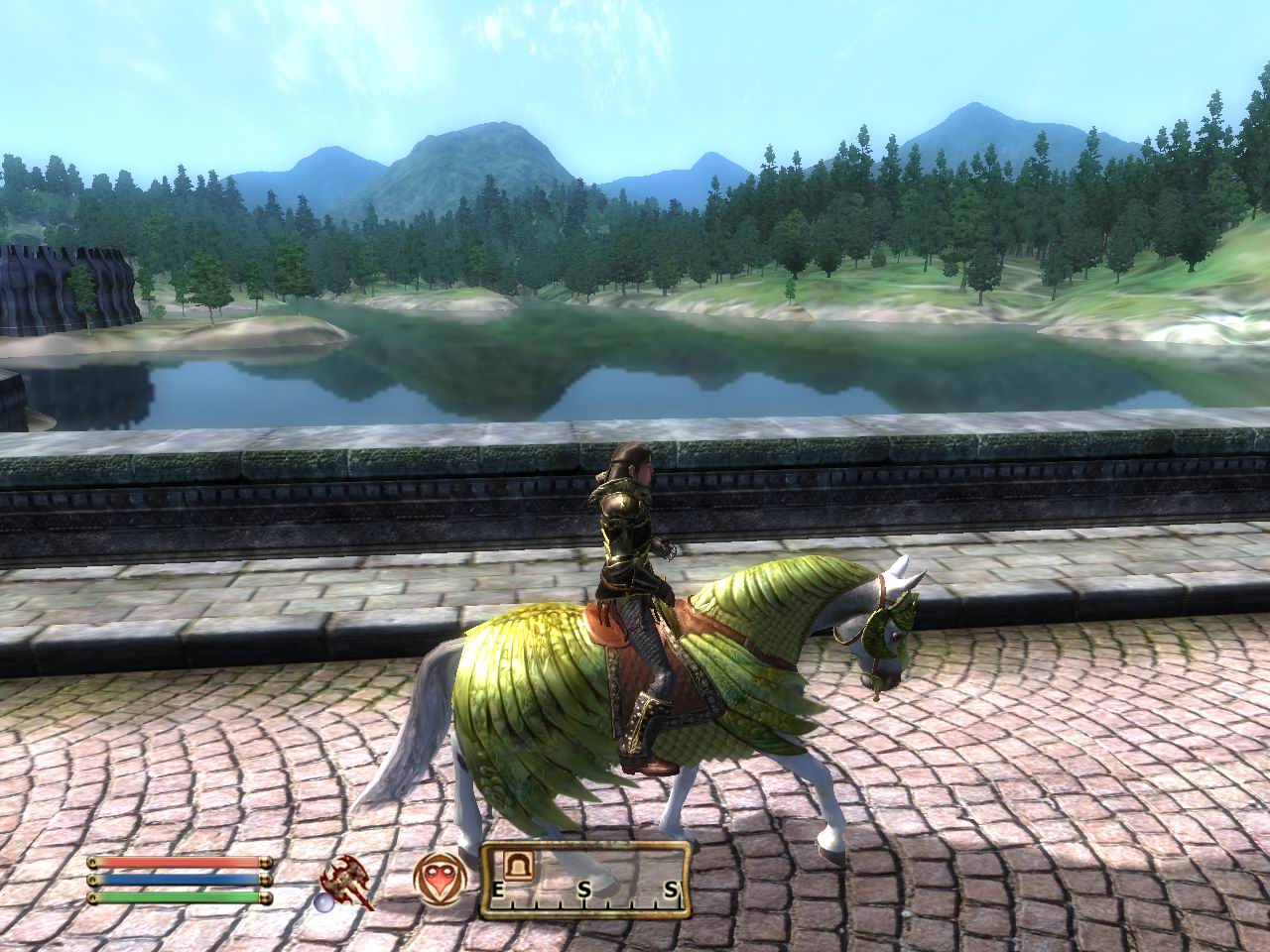 |  | 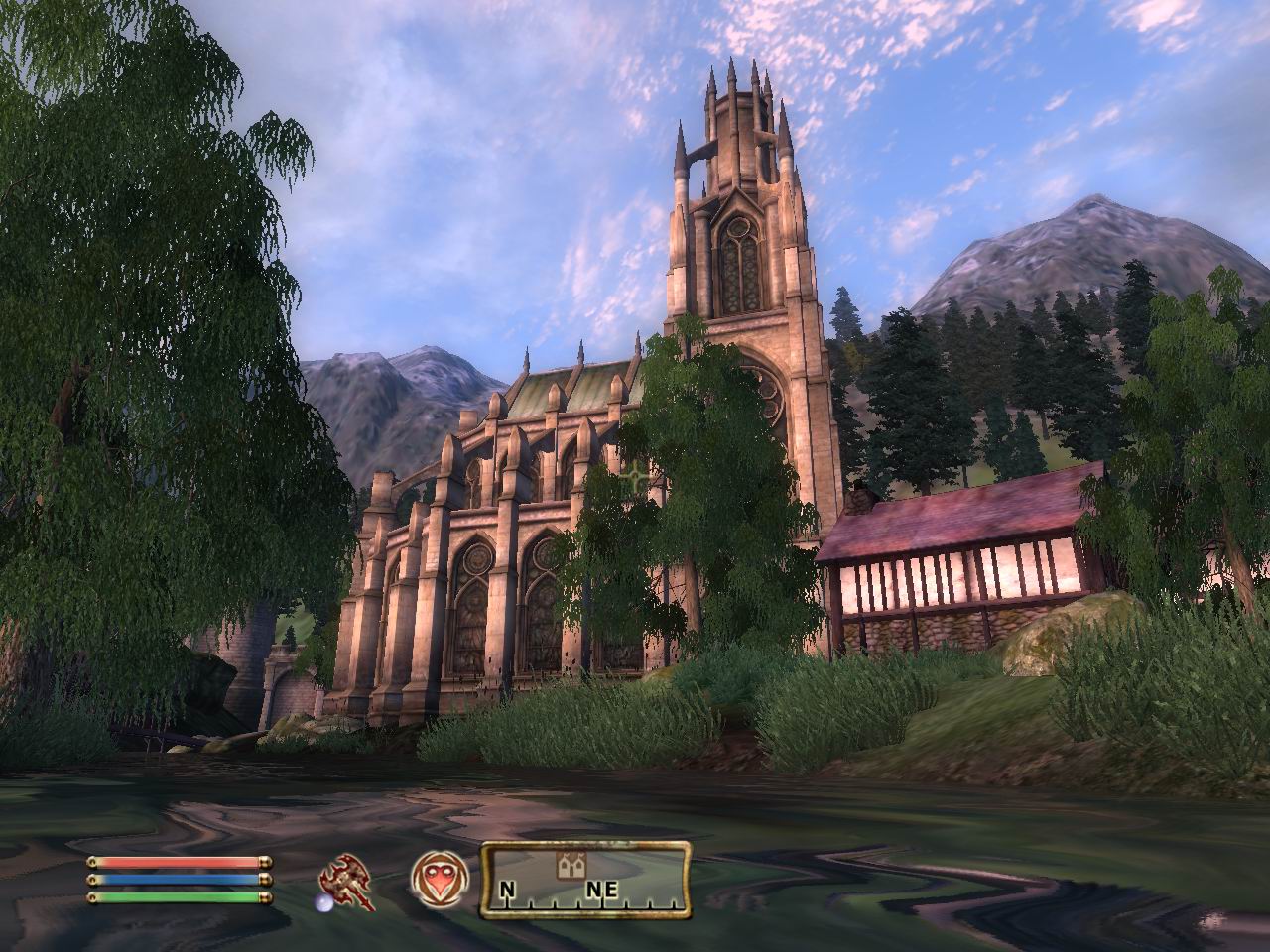 |  |
Все картинки из Elder Scrolls 4: Oblivion вы можете посмотреть здесь.
Советы наших посетителей (31)
 | Прислал: Мара |
| При вступлении в Гильдии можно брать "что плохо лежит" при условии, если на вещи не горит красный значок в виде руки. | |
| Прислал: Fisher |
| Можно получить бесплатные стрелы. Они находятся, там, где здание для гладиаторов. Надо зайти в дверь в качестве воина. Там увидите эльфа, стреляющего в мишень. В этой мишени, после выстрела, иногда остаются стрелы. | |
| Прислал: Димыч |
| В тренировочном здании Арены орк стреляет из лука в мишень. Вы можете выдернуть стрелы и забрать их себе. | |
| Прислал: Некто |
| Халявная лошадь дается после того, как вы пройдете квест за темное братство, а именно очистка санкутария - после сдачи квеста у входа в форт будет стоять лошадь с красными глазами. Она неуязвима, то есть, когда она умирает, она будет находиться без сознания как важный NPC. | |
| Прислал: Gaus |
| Вам дали задание и надо добраться до места, к которому нельзя телепортироваться. Вам приходится добираться до места назначения на своих двоих. Не теряйте времени даром, а прокачивайте акробатику, просто прыгая до заданного места. | |
Читайте на нашем сайте другие
советы и хитрости по прохождению Elder Scrolls 4: Oblivion
(еще 26, все страницы c советами: 1 2 3 )
советы и хитрости по прохождению Elder Scrolls 4: Oblivion
(еще 26, все страницы c советами: 1 2 3 )
Вам есть чем поделиться с другими геймерами?
Отзывы посетителей об игре (10)
| Автор: Mast |
Оценка:  | |
| Говорить сейчас об "Обливион" сложно. Я играл в пиратскую версию, и не слишком долго, потому некоторые мои претензии могут быть несколько поверхностными. Итак. Что такое "Обливион"? От "Морровинда" он отличается более маленькими пространствами, но зато эти пространства сделаны с большой любовью. Травка качается на ветру, листики на деревьях шелестят, стоишь на холме, смотришь на башню - шпиль возвышающуюся над имперским городом. Солнце заходит, обливая все красным. А вода в реке вообще горит. Но стоит сделать шаг, и что это? Что это за.хм. неужели? Пиксели в отражениях на воде. Как будто там разрешение 640*480. Что же это? Кругом 1280*1024, а в зазеркалье 640*480? А что это там за расплывчатый холмик? Напоминающий своими размытыми текстурами славный 1998 год и побоища в "Черной Месе". Ну, да конечно, я понимаю, что дальность прорисовки очень большая (как в жизни), и компьютеру было бы не справиться, но почему справа, на два километра красивые холмы, а слева в ста метрах, "Халф-лайф" первый? Ой! А что это за трава, которая растет по мере моего приближения? Она словно бежит передо мной, все мои путешествия напоминают бег наперегонки с растительностью. А ведь дальность прорисовки выставлена на максимум. Жалко. Все кричали, что графика просто ураган, покупайте видюхи. И это правда, но бегущая впереди трава портит всё впечатление от колышущихся деревьев. А еще я не нашел никаких средств передвижения между городами кроме лошадки и своих ножек (где мои чудесные силдстрайдеры?). Проходя за Гильдию бойцов, мне приходилось почти после каждой миссии метаться к другому начальнику, в другой город. А города эти находятся в разных частях карты, и хорошо, если твой будущий начальник отправит тебя разобраться с крысами в соседний дом, но это бывает редко. Зачем нужно было делать такую систему? Кому не нравилась ступенчатая, как в "Морровинд"? Шестой раз приезжая в Чорол к тамошнему начальнику Гильдии Бойцов, я подумал, что, наверное, разработчики в тайне мечтали сделать симулятор дальнобойщика, но пришлось делать "Обливион". Порадовало, что баланс более продуман - украденные товары можно продать только в гильдии воров, за бесценок. Правда, перед этим следует ее найти, а это довольно сложно (действительно, что это за гильдия преступников, если о ней все знают). Обидно, что немного ограничили свободу действий. Например, нельзя зайти домой к несчастному НПС, насадить его на меч и, перетащив весь свой скарб, остаться жить в его доме. Во-первых, останется труп (интересно в "Морровинде" при нажатии на кнопочку "Убрать труп" он его съедал или закапывал?). Во-вторых, в чужой кровати вам не дадут поспать, и она не станет вашей даже после убийства хозяина, ну и, наконец, рано или поздно в дом войдет стражник и увидит там Вас и полуголый труп... Еще меня обидело, что не всех можно убить. Раньше при убийстве важного квестового героя у нас появлялась надпись, что мы все испортили и надо загрузить сэйв, или можно продолжать жить в хаосе. Все-таки выбор был. А здесь персонажи просто не умирают! Теперь после мощного удара мечом, от которого даже Огрим валился на земь, как куль с мусором, субтильная девушка падает, отлеживается, встает и опять, и, как ни в чем не бывало, начинает колотить своими кулачками мне по кирасе. Ну не идиотизм? Лошади порадовали. Правда, хорошая лошадь стоит дорого, а плохую лучше не брать, ибо продать ее не будет возможности. А хорошую вы захотите очень быстро. Самое главное, что любая, даже очень плохая лошадь, легко убежит от всякого монстра или гопника (а там их достаточно). Но в этом есть и свои недостатки: во-первых, цена (хороший быстрый скакун стоит 5000 золотом), во-вторых, прощай опыт от сражений с монстрами (слезать с коня при каждой встрече с монстром очень муторно, да и коня можно потерять - все почему-то бьют в первую очередь именно коня), ну и, конечно, прощай атлетика и акробатика - сидя в седле ничего не разовьешь, кроме геморроя. Поэтому на ранних стадиях советую передвигаться пешком. Ну вот, пожалуй, и все. Отношения у меня к "Обливион" неоднозначное. После того, как я впервые его поставил на комп, я выпал из жизни на трое суток. И все это время повторял про себя: "Какая скучная у нас в реале жизнь". А теперь, после этих бесконечных "дальнобойных" поездок, я думаю, что "Морровинд" был в какой-то степени лучше. Не знаю. Буду ждать лицензию. Или патча. Все. | |
| Автор: Razor(ohotniki) |
| Оценка: | |
| Обалдеть, дайте даже три! Дико порадовал генератор лиц, графика понравилась (к предыдущему оратору - если аккуратно подобрать настройки, то ваш эффект не наблюдается и красотища не теряется), освещение. Измененная боевая система интересна (много лучше слабоанимированного махания руками и колюще-режущими предметами в прошлой части), химичить стало полегче чуток, и, что удивительно, интереснее. А вот с лошадьми у меня лично была такая проблема - они мне были не нужны. Почему? Все просто - от них мало толку (ибо теперь путешествия совершаются кликаньем на открытые объекты на карте), выигрыш в скорости не стоит 4000-5000 монет, да и вообще, можно заполучить абсолютно халявную лошадку, причем легальным образом. К плюсам, кстати, можно отнести и превосходную проработку подземелий. Теперь про минусы. Первое и самое страшное - они убили Кен..., то есть, копья и прочее древковое оружие. Покаяться придумщики игры отказались, и, походя, замочили скилл Unarmored, отвечавший за умение сражаться без брони. Пережить это, конечно, можно, но лучше бы они этого не делали. Хотя все равно, это пять безвопросная... | |
| Автор: Kastet |
| Оценка: | |
| Играю я в "Обливион" около месяца. Вообще игра очень понравилась, правда, есть очень много мелких недоработок. Но они незаметны в атмосфере, создаваемой такой убойной комбинацией, как "супер графика + интересные миссии + хорошая реализация сражений + реалистичная физика". Меня лично разочаровал искусственный интеллект персонажей, но их тупость можно считать прорывом по сравнению с "Морровиндом". Также это отчасти заменяется балансом сил в игре: теперь не почувствуешь себя "суперменом". Есть небольшие недоработки в графике, но они, в принципе, не заслуживают особого внимания. Также "криво" реализовали поездки на лошадях: плохо то, что нельзя махать мечом или швырять огненные шары, не слезая с лошади, да и при наличии быстрого перемещения по карте, необходимость в лошадях отпадает. Порадовала ролевая система, в принципе не претерпевшая значительных изменений со времен "Морровинда" (количество навыков сократилось с 29 до 21). | |
| Автор: Denza |
| Оценка: | |
| Вообще... игра мне понравилась! Можно, конечно, бесконечно (простите за каламбур) говорить о недоработках в графике, всевозможных ляпах... но, в целом, все на высоком уровне (уровне 2006 года). Немного утруждает замудренная сюжетная линия (я до сих пор понять ничего не могу). Наверное, проще делать менее глобальные проекты (типа НL2-Episode 1), так как приходится погружаться в игровой мир целиком с носками, забывая про свою любимую девушку, и объясняя ей потом, что "виртуальный мир - реален". Играйте - игра интересная и по-своему хорошая. | |
| Автор: utilizator |
| Оценка: | |
| Игра просто шикарная и реалистичная, а если поставить хорошую видеокарту, то можно вообще потерять связь с реальным миром. Разработчики очень постарались - игра сильно отличается от Morrowind: убрали ненужные умения типа Unarmored, то есть борьба без брони, которая теперь относится к борьбе в Light Armor - легкая броня. Владение топором и палицей или посохом теперь относится к 1 умению - Blunt, также владение кинжалами и короткими клинками и владение длинными мечами и двуручными мечами относится теперь к Blade, такое обобщение навыков дает возможность изучать другие полезные навыки. Дальше: сильно доработана система NPC, то есть компьютерные персонажи, управляемые искусственным разумом, стали более умными. В Morrowind все персонажи либо стояли на месте, либо ходили по заданому маршруту, не взирая на смену суток. В Oblivion персонажи живут. Они спят, едят по расписанию (завтрак, обед, ужин), общаются, свободно гуляют по городам, иногда даже путешествуют вне города. Больше по ночам в дома не зайдёшь - персонажи закрывают двери на замок и ложатся спать, закрываются и магазины - вечером можно наблюдать, как торговцы расходятся по домам. Кстати, о домах. Их можно покупать! Можно купить маленький рыбацкий домик за 2000 и скромно обустроить его, разложив лопатки, удочки, кувшины, тарелки, чашки, свечки, метлы - предметов великое множество! А можно купить настоящий 4х-этажный особняк с просторными залами, где в витрины можно положить свои трофеи - лучшую броню, шикарные редкие сокровища и.т.д. Теперь о гильдиях - их стало больше, кроме Гильдии Бойцов, Гильдии Магов и Гильдии Воров появилась Гильдия наемников Blackwood, рыцарский орден (даже несколько), Гильдия Убийц, и множество других, о которых я ещё пока даже не подозреваю, но уверен, что они есть! Значительно улучшена Арена, теперь всё выглядит в лучших традициях гладиаторских боев, так что Великим Чемпионом стать не так-то легко! Теперь повышать свое мастерство владения оружием, например, можно не только путем кромсания всего живущего - можно выполнить квест, и в благодарность вас могут обучить искусству владения оружием! Кстати, о квестах. Не пытайтесь пройти их все! Это невозможно! С каждым третьим персонажем связана определенная история, и каждому из них потребуется ваша помощь. Задания разнообразны - разоблачения банд нечестных торговцев, поиски умерших легенд (например, поиски Замерзших Слез легендарного рыцаря), расследования убийств, передача посылок - продолжать можно до бесконечности, но самое приятное, что с выполнением квеста игровой мир меняется - тот же разоблаченный нечестный торговец закроет свой прилавок и больше не появится. Удивительно так же то, что даже случайно услышанная беседа NPC на улице может обернуться большим и опасным приключением в поисках волшебного артефакта! Значительно изменена система передвижения по миру, не буду повторяться о лошадях и пеших прогулках, скажу вот что: если вы, допустим, пришли в город, в деревню, в подземелье - это место "запомнится", и в следующий раз, чтобы не утомляться от долгого пути, можно просто щёлкнуть на это место на карте в рюкзаке героя, будет предложено так называемое "Быстрое путешествие" - моментальный переход на локацию, причём игровое время изменится, возможно, даже на сутки, как будто герой действительно провёл долгое время в пути - вам будет казаться, что вы просто телепортировались в нужное место, на это уходят секунды. А теперь ложка дегтя или то, что лично мне не понравилось. Это заклинания. Иными словами, магия. Она выглядит однообразно - различий между Шаровой Молнией и Огненным Шаром не существует, кроме как в повреждениях. Наимощнейшее заклинание Молнии, которое наносит 10 единиц урона, графически ничем не отличается от заклинания с красивым и длинным названием, типа Громовой Удар Зевса (это выдумано мной, для примера), которое наносит 300 единиц урона. Хотелось бы большего различия. Ну, в качестве итога, скажу, что об Elder Scrolls 4: Oblivion нельзя судить по первому впечатлению. Чтобы увидеть все прелести игры, нужно очень долго играть в неё, познавать её игровой мир. С каждым новым квестом или новым открытием вы будете всё больше видеть необычайную красоту и реалистичность, которую разработчики создали в том виде, который сегодня не может не порадовать настоящего геймера. | |
Вопросы посетителей по игре (10)
Вопрос задает Серый
Вопрос задает ilya
Вопрос задает Аргонианка
Вопрос задает антон
Вопрос задает Витя
Вопрос задает Хантер
Вопрос задает максим
Вопрос задает данил
Вопрос задает Goust911
Вопрос задает Alex Crit
Ну, если что непонятно по игре - спрашивайте...
Испытываете проблемы в прохождении Elder Scrolls 4: Oblivion?
Считаете свой вопрос сложным и важным?
Тогда задайте свой вопрос, и мы разместим его здесь отдельно.
Ежедневно десятки геймеров просматривают эту страницу —
кто-то из них обязательно ответит!
Считаете свой вопрос сложным и важным?
Тогда задайте свой вопрос, и мы разместим его здесь отдельно.
Ежедневно десятки геймеров просматривают эту страницу —
кто-то из них обязательно ответит!
Если вопрос короткий — Вы можете задать его на этой странице
при помощи формы комментариев ниже
при помощи формы комментариев ниже
Страница:
Читы на Elder Scrolls 4: Oblivion
Быстрая навигация по разделу PC
A B C D E F G H I J K L M N O P Q R S T U V W X Y Z #
Быстрая навигация по разделу PC
A B C D E F G H I J K L M N O P Q R S T U V W X Y Z #
